- Two years on, immersion and interaction remain the Vision Pro’s biggest strengths.
- The Vision Pro has best-in-class eye and hand tracking, making it one of the most compelling mixed reality experiences available.
- The spatial computing app ecosystem has quite matured, having over 3,400 native apps now.
- visionOS updates have added more useful and immersive experiences beyond the initial wow factor, including Apple Intelligence.
- Comfort, battery life and the $3,499+ price remain major barriers.
When Apple unveiled the Vision Pro at WWDC 2023, it did not introduce it as just another Virtual Reality (VR) or Mixed Reality (MR) headset. Instead, it positioned the Vision Pro as the beginning of a “new era of spatial computing.” From intuitive hand gestures for navigation and interaction to precise eye tracking for selecting items, immersive spatial content and Mac Virtual Display, the Vision Pro offered a glimpse of what computing could look like beyond the traditional screen.
We initially reviewed the Vision Pro a few weeks after its launch, and we were impressed by the hardware and Apple’s execution, particularly its hand and eye tracking. But, as with every first-generation product, the Vision Pro had its share of limitations. The use cases were still evolving, and the spatial app ecosystem was relatively small. Indeed, the Vision Pro was an impressive first-generation product, but two years later, its high price remains a significant barrier to broader adoption.
Since then, Apple has continued to refine visionOS, expand the spatial app ecosystem and introduce new features and capabilities, including Apple Intelligence, while also launching a more refined, M5-powered model. But the bigger question is whether these improvements have translated into a more compelling long-term experience and demonstrated how the Vision Pro can fit into everyday life.
Apple has also reportedly cut around 100 jobs from the Vision Pro team, including those working on gaming and immersive video. The move raises questions about how aggressively Apple will continue to invest in the category. It could also signal a strategic pivot toward lightweight, AI smart glasses, like the popular Ray-Ban Meta.
That makes the original M2 Vision Pro particularly interesting to revisit. It was Apple’s first attempt at spatial computing, and after spending close to two years with the Vision Pro, we look beyond the initial wow factor in this long-term review to see what has held up and whether it was a glimpse of the future or an expensive preview of it.
Consumer Insights: Beyond Initial Wow Factor, Limits Remain
We conducted a consumer study with 10 first-time users, comprising a mix of male and female participants aged 25–45. Each participant tested the Apple Vision Pro for 35–45 minutes, with guidance from an expert user who helped them understand the product, interface and eye- and hand-based navigation, followed by a qualitative survey.
Participants had hands-on time with Vision Pro’s eye- and hand-based controls to navigate through the interface and type on the virtual keyboard. They also tried out spatial apps such as Caradise, Paint and JigSpace, along with immersive video and spatial audio on Apple TV and YouTube.
Related: Check out our Apple Vision Pro Consumer Survey Report to explore how first-time users experience and evaluate the device
The objective of the consumer study was to assess the strengths, limitations and future market potential of the Vision Pro across usability, comfort, immersion, entertainment and productivity.
The first-time experience can be genuinely impressive, as 7 out of 10 users said immersion was the strongest “wow” factor for them. But there is also a bit of a learning curve when using the eyes, hands and gestures, as users get accustomed to a completely new way of interacting with technology. 5 out of 10 users ranked gesture-based controls as the second-most impactful experience, while 3 out of 10 users saw spatial environments as central to their overall experience.
Entertainment, including watching videos and movies, was the clear frontrunner among use cases, with 10 out of 10 users identifying it as a key use case. Gaming and learning/education followed, with 6 out of 10 users seeing potential in each beyond entertainment.
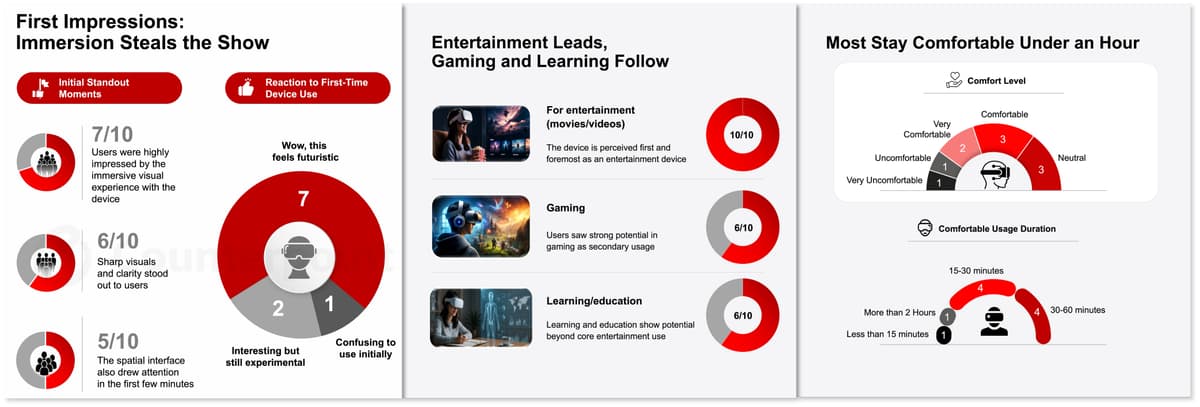
The consumer research highlights two important limitations of the Vision Pro: comfort and price. Most users were comfortable using the device for less than an hour, with 4 out of 10 comfortable using it for 15–30 minutes and another 4 out of 10 for about 30–60 minutes. Price does remain a major barrier. Nearly half of the respondents said they were likely to purchase the Vision Pro, but their preferred price was between $1,000 and $2,000.
Navigation and Interaction: Just Use Your Eyes and Hands, No Physical Controllers Needed
As the Vision Pro is a spatial computing device, its input system is arguably the most futuristic part of the experience. Yes, you can connect a Bluetooth mouse and keyboard as input devices, but the best way to interact with the Vision Pro is through your eyes and hands. Unlike other AR and VR headsets, the Vision Pro does not require physical controllers, offering a more natural and intuitive way to interact with the virtual environment.
Simply move your eyes around to select items, pinch your fingers to click, move your hands to scroll up or down, or resize windows – all with very low latency. The eye tracking is highly precise, and the gestures are very intuitive. There is a bit of a learning curve because this is a new way of interacting that we aren’t used to, but it does not take long to get accustomed to.
It’s effortless and works remarkably well for a first-generation product, something that other mixed reality platforms have struggled to achieve. With future versions and further refinements, the experience will likely get even better.
Making all this possible is the powerful hardware inside the Vision Pro. It is powered by an M2 chip (with an 8-core CPU, 10-core GPU and 16-core Neural Engine), which provides the computing power needed to handle applications and graphics. There is also an R1 chip (co-processor) that processes data from the cameras and sensors with ultra-low latency, delivering 12-millisecond photon-to-photon latency. The two chips are paired with 16GB of unified memory.
Related: Check out our Apple Vision Pro BoM Analysis to explore its component-level cost structure
The comprehensive set of cameras and sensors includes:
- Two high-resolution main cameras
- Six world-facing tracking cameras
- Four eye-tracking cameras
- One TrueDepth camera
- One LiDAR scanner
- Four inertial measurement units (IMUs)
- One flicker sensor and one ambient light sensor
The eye-tracking cameras also enable Optic ID, which uses iris-based authentication for signing in and making purchases from the App Store and iTunes Store.
Crisp Display, Great Colours and Spatial Audio Make for a Truly Immersive Experience
The Vision Pro features dual micro-OLED displays with a total of 23 million pixels and roughly 4K resolution per eye. It supports variable refresh rates of 90Hz, 96Hz and 100Hz, which dynamically switch based on the content. It also supports video playback at 24fps and 30fps to ensure a smooth visual experience.
The text looks crisp, colours are vibrant, blacks are deep, and HDR performance is excellent, all of which contribute to an immersive experience. Whether watching 4K videos on Apple TV or running different apps and games on Apple Arcade, the display plays an important role in elevating the experience. Apple also lets you virtually expand the display into a massive floating screen, effectively turning any room into a theatre.
For those with prescription glasses, like me, who have minor astigmatism, I need to wear glasses to see things clearly, both near and far. However, the Vision Pro’s optics are so good that I can wear it without glasses. The text and content are visible and sharp, which is impressive. For those with a higher prescription, the Vision Pro can be used with contact lenses or ZEISS Optical Inserts, which can be purchased separately.
The Vision Pro uses open-ear speakers built into the strap and positioned near the ears. Despite their small size, they are loud and sound surprisingly good, with good stereo separation and clear dialogue, although the bass could have been stronger. They also support spatial audio with dynamic head tracking, creating a more immersive experience as the audio adjusts based on your head movements.
visionOS: Apple Intelligence, Mac Virtual Display and More
With visionOS 26, Apple introduced new features such as persistent widgets, spatial scenes, Look to Scroll and AI capabilities powered by Apple Intelligence. The difference is instantly noticeable, with improved multitasking and more precise window placement. These features were further refined with visionOS 27.
Spatial Widgets
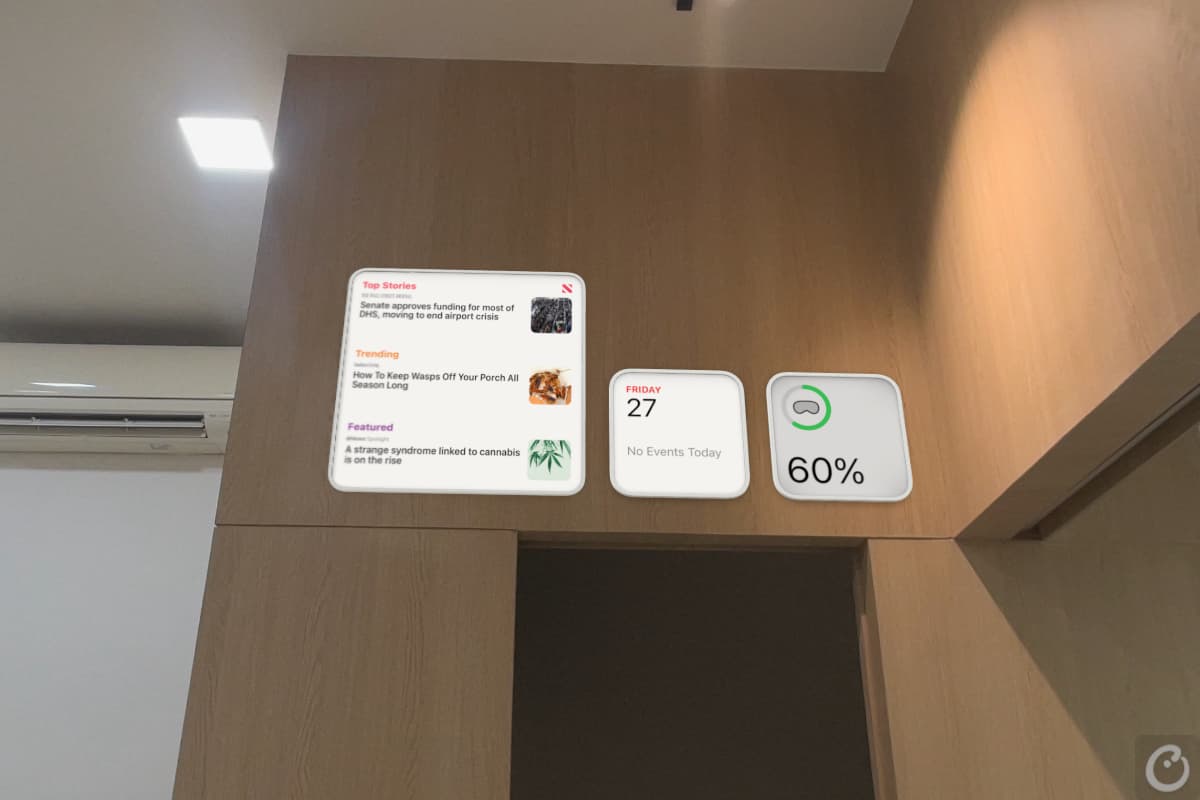
Persistent widgets let you pin spatial widgets – such as a clock, weather station, photo frame and much more – to specific physical locations in your home, whether on a wall or even the ceiling. And the best part is that the Vision Pro remembers their locations, so the widgets stay in place even after you reboot the device.
Spatial Scenes
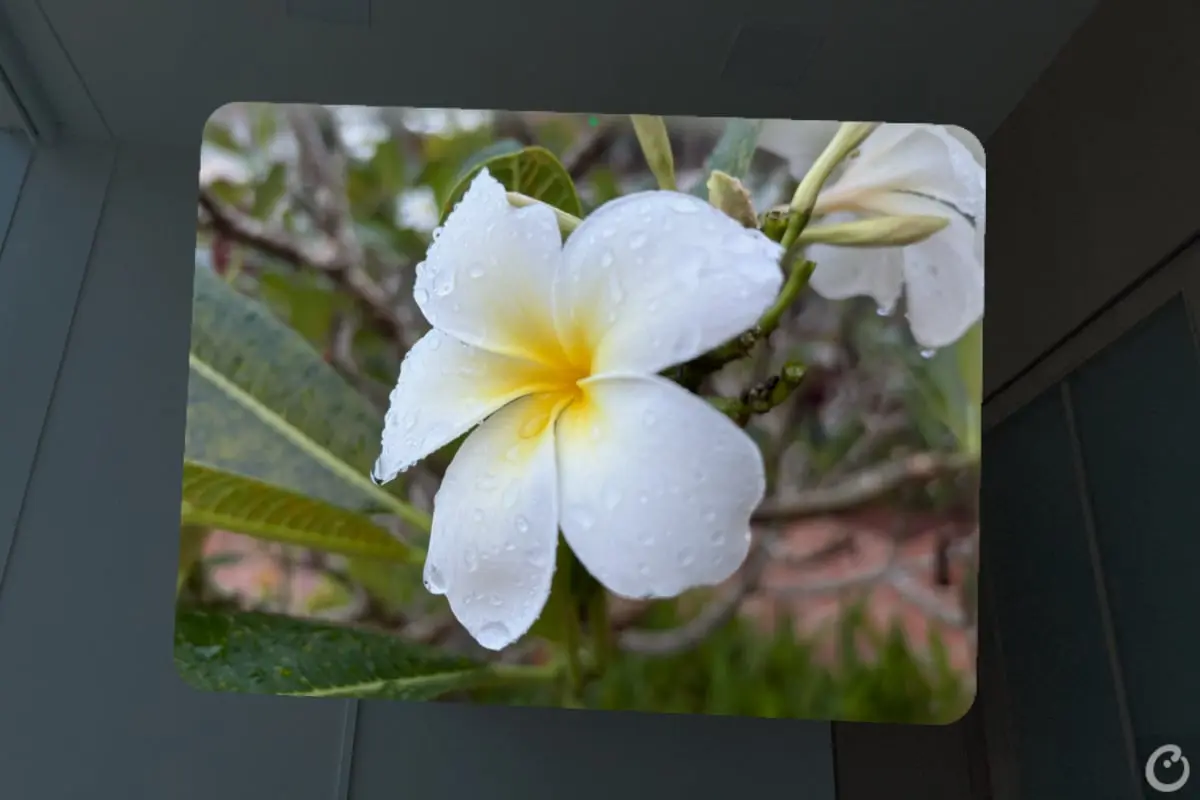
With Spatial Scenes, you can use generative AI to turn 2D photos from your library into immersive 3D scenes. The Look to Scroll feature also comes in handy when browsing webpages; simply look at the top or bottom of the window, and the page scrolls automatically.
Apple Intelligence
Apple Intelligence on the Vision Pro now supports features such as Priority Notifications, Writing Tools and Image Playground. With Priority Notifications, AI can identify and highlight the most important, time-sensitive information from your apps, ensuring you don’t miss urgent notifications.
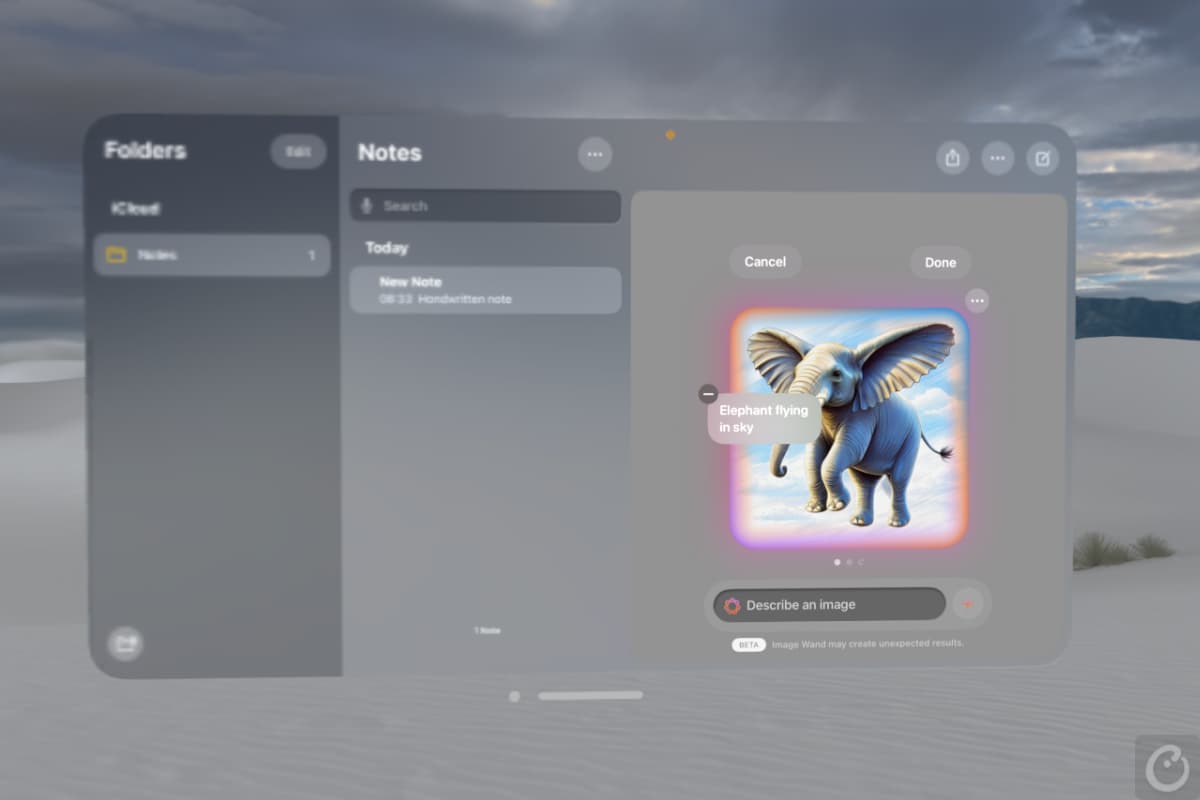
With Writing Tools, you can use AI to compose, proofread and refine text across your apps. Image Playground lets you unleash your creativity and generate images from text prompts.
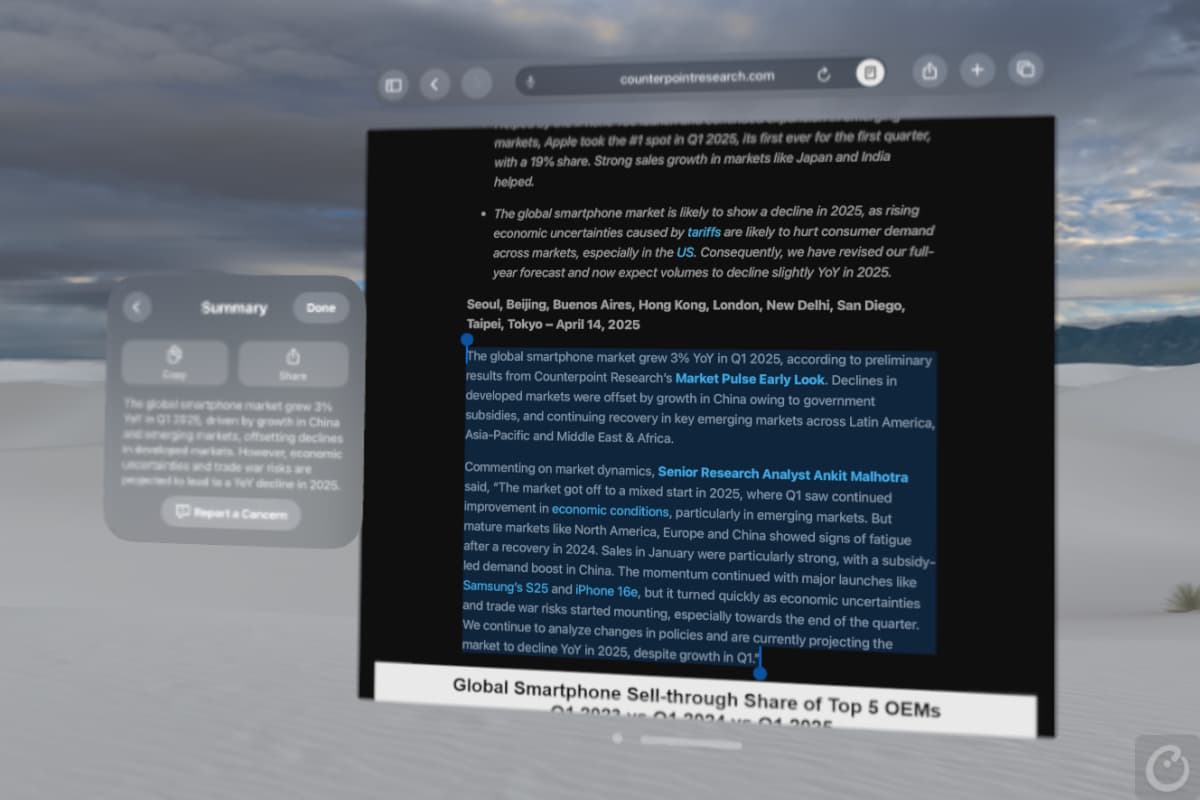
What’s more, Apple Intelligence can also summarise web articles and long emails in a floating window. All these features bring the capabilities of AI together with the immersive nature of spatial computing.
Mac Virtual Display
One of the most interesting use cases of the Vision Pro is Mac Virtual Display. It lets you view your Mac screen on the Vision Pro, turning it into a floating ultrawide screen that wraps around you with up to a 32:9 aspect ratio, equivalent to two side-by-side 4K physical displays. You can choose between Standard, Wide and Ultrawide to change the size of the virtual display. Your Mac’s trackpad (or an external Bluetooth mouse) and keyboard become the input devices.
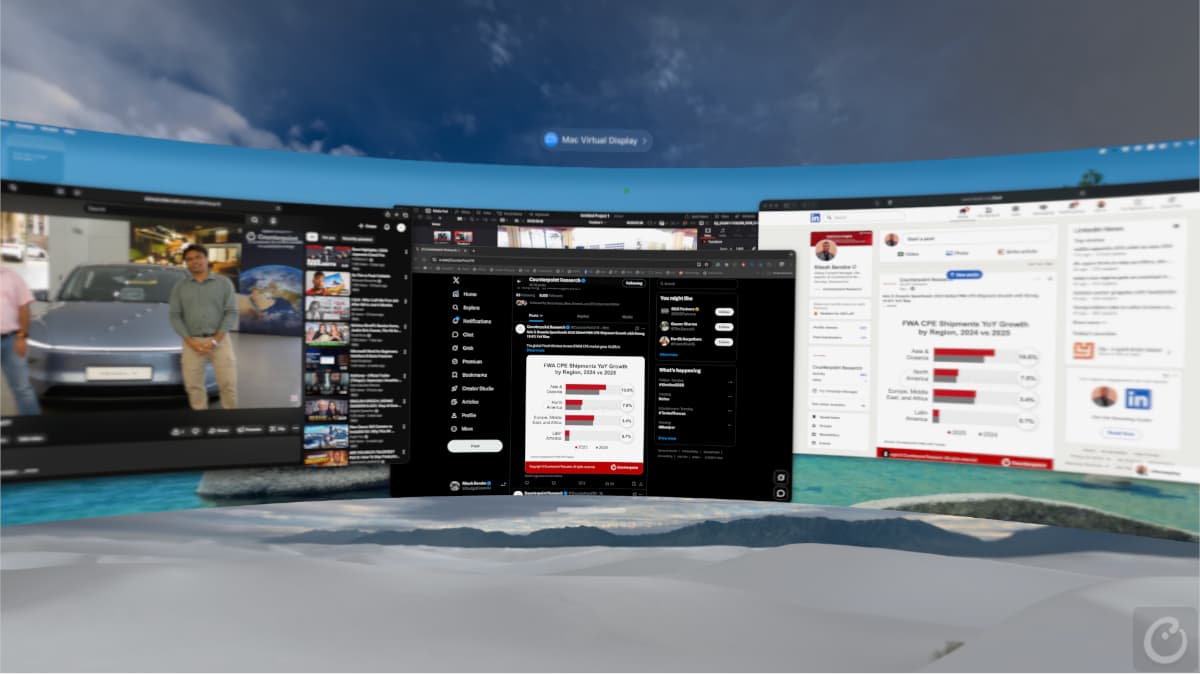
The ability to work with a massive screen without needing a physical monitor is particularly useful when travelling or working in a compact space, making the Vision Pro more like a portable workstation. The virtual display can also be scaled to feel like a massive screen, exceeding 100 inches depending on the placement.
Apps and Experiences Powering Immersive Mixed Reality
At launch, the Vision Pro had over 600 native apps and more than a million compatible iOS and iPadOS apps. However, most of these were 2D apps floating in space rather than apps that could deliver true spatial experiences. There has been good progress since then, and there are now more than 3,400 native visionOS apps across various categories. We tried several of them, and below are some that take the experience to a whole new level. These include apps across categories such as creative and design, media and entertainment, tools and utilities, and games and experiences.
In the Apple TV app, the F1 Movie Experience on Vision Pro puts you alongside Brad Pitt for an immersive lap around the track. It’s not just about immersive 3D visuals and spatial audio; you also get a much stronger sense of speed and proximity.
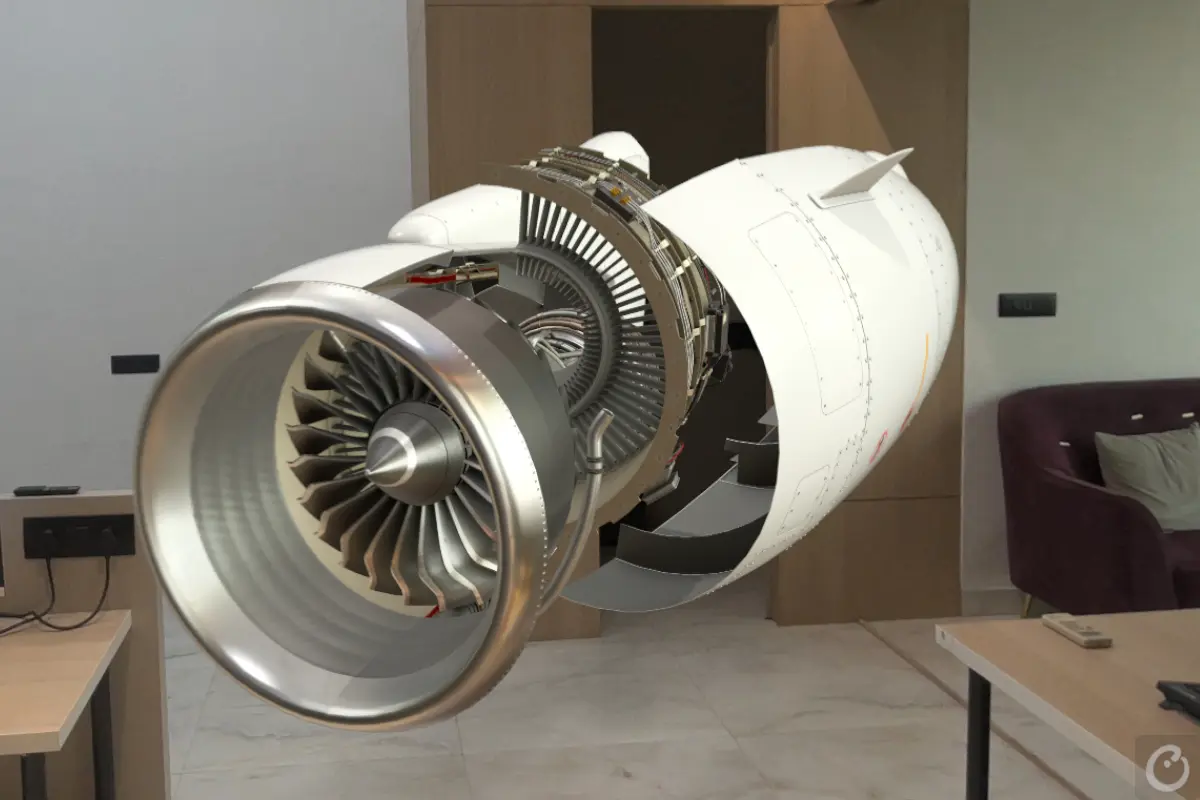
JigSpace is a great example of the Vision Pro’s potential beyond entertainment. It turns complex 3D models, such as a jet engine, into interactive spatial presentations, allowing you to pull apart objects using your hands. This makes it useful for product demonstrations, training and education.
Encounter Dinosaurs is another brilliant demonstration of the Vision Pro’s capabilities, bringing lifelike dinosaurs into your physical space and letting you interact with them. At first, it feels like wearing 3D glasses with dinosaurs popping out of the screen, but the experience goes much further by placing them within your surroundings and allowing you to interact with them.
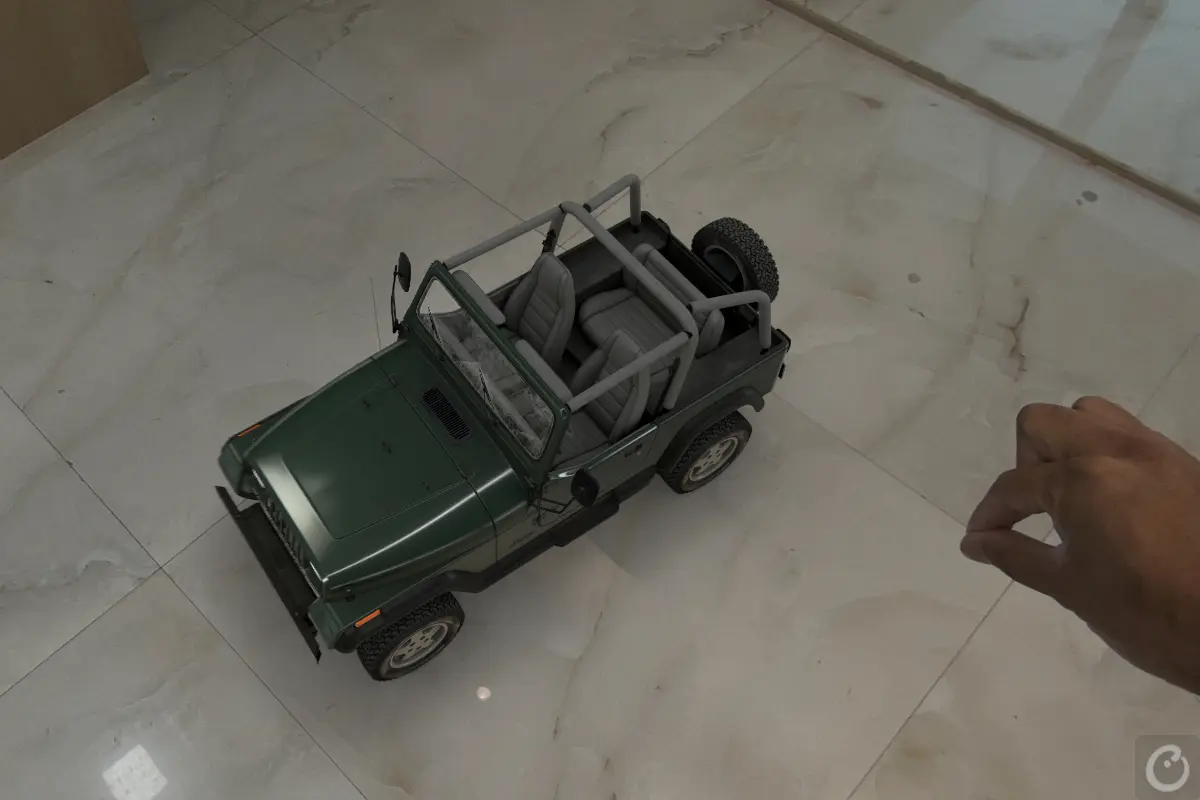
Car lovers will enjoy exploring Caradise, which turns your surroundings into a virtual car museum. You can walk around highly detailed recreations of iconic cars, resize them and even step inside to explore their design in a way that would be difficult to replicate on a conventional screen.
Explore POV is another compelling travel app to try on the Vision Pro. It lets you experience real destinations through immersive VR180 video, giving you a strong sense of depth, scale and presence. The result feels less like watching a travel video and more like being teleported to another place.
Some other interesting apps we tried and recommend checking out include Crayon, AR Plan 3D, Sketch Pro, Epic Earth, Puzzling Places, Space Vision, AmazeVR Concerts, Flight Sight, Spidey Buddy, Marble by World Labs, Flight Ready, AirDraw, Apple Immersive Video, Metaballs, Meta’s Hyperscapes, Caddy App and Hogwarts Great Wall.
Ergonomics and Comfort Need Some Work for Longer Sessions
I kept this for last because, despite all the breakthrough experiences, comfort is ultimately where the overall utility comes down to. The ergonomics are good, and Apple has used high-quality materials, but the weight distribution and light seal are areas where the experience becomes a slight deal-breaker.
The Vision Pro is front-heavy, and the band does not do enough to balance the weight, which is roughly 600–650g. About 25–30 minutes of usage is fine, but after that, you can start to feel the pressure on your face. The light seal, designed to block out external light, does a great job, but it also traps heat and restricts airflow. When using the Vision Pro in humid coastal cities like Mumbai, this can lead to sweat on your face, on the fabric cushion and around your eyes, which can then result in lens fogging.
Fit is another area where the Vision Pro isn’t universally comfortable. Users with smaller heads may find that the headset gradually slides down and doesn’t sit flush against the face, requiring frequent adjustments. This can also affect the seal and overall comfort during longer sessions.
Using the Vision Pro as a Mac Virtual Display for over an hour, or even for a two-hour movie marathon, can feel difficult because of the discomfort. Great technology aside, this is clearly an area where Apple will need to improve in future generations, perhaps by finding a way to better dissipate the trapped heat or improve airflow inside the headset.
Finally, there is the external tethered battery pack, which needs to remain connected at all times. You also need to be conscious of the cable, especially when moving between rooms or walking around.
Final Words
- The Apple Vision Pro has set a benchmark for XR devices when it comes to immersive media and spatial audio.
- Apple’s eye and hand tracking remain the real secret sauce, offering an intuitive, controller-free interaction that puts the Vision Pro ahead of many competing XR platforms.
- The Vision Pro works best as a personal cinema for immersive media, but battery life, comfort and the lack of a clear everyday computing use case limit how often it can replace conventional screens.
- The tethered battery pack remains another friction point.
- Comfort, weight, sweat and the $3,499+ price tag remain the biggest barriers to mainstream adoption, making the Vision Pro feel more like an impressive preview of the future of spatial computing than the future of computing itself.


